
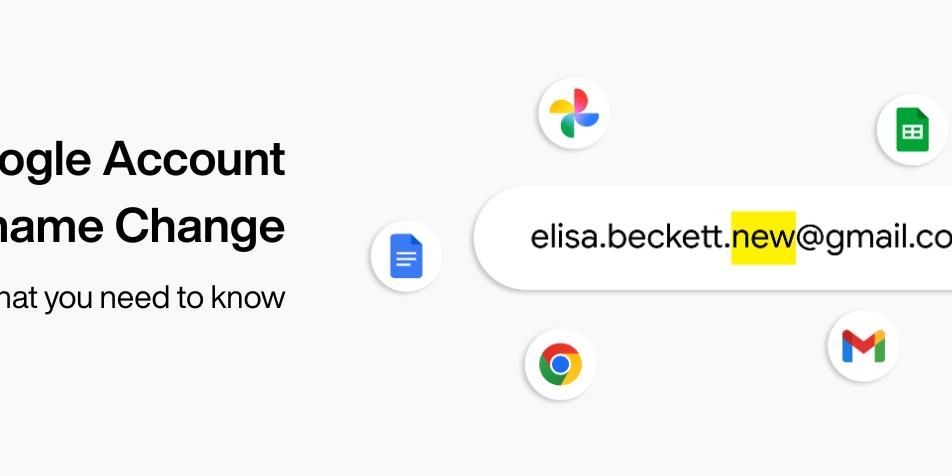
Supporting Google Account username change in your app
Google has updated its account settings to allow U.S. users to change their @gmail.com usernames while keeping all existing account data and inboxes intact. For developers, this means that while old email addresses will remain active as aliases, apps that rely solely on email addresses for identification may face issues with account duplication or lost access. To ensure a seamless user experience, Google recommends migrating to the "subject ID" as the primary user identifier and allowing users to manually update their contact information within app settings.
APRIL 2, 2026
Arne Reimers
Software Engineer
Google Identity and Engagement
Julia Steier
Product Manager
Google Identity and Engagement
As of March 31, users in the US can now update their Google Account username while keeping their account, inbox, and data fully intact. If your platform uses Sign in with Google or identifies users by email, this post explains how this update affects your integration and any steps you may need to take.
Many users have old email addresses that no longer reflect who they are—whether due to a name change, a shift in professional identity, or simply a username that they have outgrown.
With this update, when a user changes their username, their original email address is retained as an alternative linked to the same account. Both emails point to the same inbox. Users can continue to sign in, send, and receive email using either. While this capability has been available to business Workspace users, we're now expanding it to consumer Google Accounts with a @gmail.com address.
What it means for your platform
How this feature affects your users depends on how they authenticate with your platform and how your platform identifies them.
Sign in with Google users, identified by subject ID
If your platform already uses subject ID as the primary account identifier, no action is needed. The subject ID is stable and will not change, regardless of any changes made to the email address.
Sign in with Google users, identified by email address
If your platform uses Sign in with Google, and maps user accounts based off of the email address from the ID token, some users may experience disruption after changing their username.
- If an OAuth grant from before the username change remains active, Google will continue to provide the old email address to maintain continuity. The user authentication experience should typically remain uninterrupted.
- However, if an OAuth grant was revoked by the user, Google will provide the new email address instead on subsequent sign in. This may cause your platform to fail to recognize the user, potentially resulting in duplicate accounts and loss of access to existing data.
As a best practice, we recommend migrating to subject ID as your primary user identifier. See the recommendations section below.
Manual account and password users
For users who sign in with email and password, the sign-in experience will be unaffected. The user’s old email address remains active, so they can continue signing in as normal. Since a user originally created the account on your platform using an email address and password, your platform has no subject ID on file; it only knows the email address.
- Risk of duplication: If the user later attempts to use Sign in with Google with a new email address, your platform will be unable to link this new Google identity to an existing account, which could create a duplicate account.
To prevent this from occurring, allow users to update the email address associated with their account on your platform. This allows users to seamlessly sign in to their existing account using Sign in with Google, alongside email and password.
A note on passkeys
For users who use passkeys to sign into your platform, this feature will not impact their sign-in experience.
Our Recommendations
To ensure a smooth transition for your users, we recommend following these three steps:
- Use subject ID as your primary user identifier. Subject ID (sub) is the most reliable identifier for a Google user and remains unchanged even if a user updates their email address. We strongly recommend using it as the primary key for any user account authenticated via Sign in with Google. You can find more technical details on Subject ID in our implementation best practices.
- Provide email-based account recovery. If adopting the subject ID is not immediately feasible, offering email-based account recovery is essential. Since Google retains the old email address as an alias, recovery messages sent to the original address will still reach the user.
- Enable email updates. For users who signed up to your platform with traditional email and password accounts, allow them to update their contact information within your platform settings to prevent sign-in issues.
We encourage you to review your current authentication options and implement these updates to maintain a seamless user experience.
A great experience for your users
With these improvements, we’re making users’ experience simpler and safer, so users can easily stay engaged on your platform. If you have any questions, visit developers.google.com.
Previous
Next
Google Developers Blog
https://developers.googleblog.com/supporting-google-account-username-change-in-your-app/Sign in to highlight and annotate this article

Conversation starters
Daily AI Digest
Get the top 5 AI stories delivered to your inbox every morning.
More about
update
30 Days of Building a Small Language Model — Day 1: Neural Networks
Welcome to day one. Before I introduce tokenizers, transformers, or training loops, we start where almost all modern machine learning starts: the neural network. Think of the first day as laying down the foundation you will reuse for the next twenty-nine days. If you have ever felt that neural networks sound like a black box, this post is for you. We will use a simple picture is this a dog or a cat? and walk through what actually happens inside the model, in plain language. What is a neural network? A neural network is made of layers. Each layer has many small units. Data flows in one direction: each unit takes numbers from the previous layer, updates them, and sends new numbers forward. During training, the network adjusts itself so its outputs get closer to the correct answers on example

AI Agents for Local Business: $500-1,500 Setup + Monthly Retainer
AI Agents for Local Business: $500-1,500 Setup + Monthly Retainer How to build ₹15K-₹75K/chatbot businesses serving Indian SMEs (no coding required) The Opportunity Nobody's Talking About While everyone's fighting over AI side hustles online, there's a goldmine happening offline: Local businesses desperately need AI—but have zero clue how to implement it. Real estate agents, dentists, gyms, restaurants, coaching centers—they're all losing customers because they can't respond to inquiries fast enough. You become the solution. The Business Model: Build AI chatbot once (8-15 hours) Charge setup fee: ₹15K-₹75K Charge monthly retainer: ₹3K-₹15K Maintain: 1-2 hours/month Profit margin: 70-85% Real Example: The Real Estate Bot Deal Client: Real estate agency in Bangalore (3 agents, 50+ properties

BizNode's semantic memory (Qdrant) makes your bot smarter over time — it remembers past conversations and answers intelligently using RAG
The future of business is not about working harder; it is about working smarter with intelligence that operates around the clock. Imagine a team of employees who never sleep, never take holidays, and are driven by pure logic rather than human emotion. This is the reality BizNode creates through its unique fusion of artificial intelligence and autonomous operational nodes. What Is BizNode? BizNode is not just a software tool or a simple chatbot service. It represents a new paradigm in business infrastructure where AI agents act as fully independent employees capable of handling complex workflows. These autonomous nodes are designed to execute tasks with precision, from managing customer support interactions to executing marketing campaigns and processing financial transactions. The platform
Knowledge Map
Connected Articles — Knowledge Graph
This article is connected to other articles through shared AI topics and tags.
More in Releases

Treasury Announces Public-Private Initiative to Strengthen Cybersecurity and Risk Management for AI - U.S. Department of the Treasury (.gov)
Treasury Announces Public-Private Initiative to Strengthen Cybersecurity and Risk Management for AI U.S. Department of the Treasury (.gov)

Bureau Veritas Launches an Independent AI Assessment Offering for European Enterprises, Developed in Partnership with Amazon Web Services (AWS) - STT Info
Bureau Veritas Launches an Independent AI Assessment Offering for European Enterprises, Developed in Partnership with Amazon Web Services (AWS) STT Info
Discussion
Sign in to join the discussion
No comments yet — be the first to share your thoughts!