

I Built a GitHub-Style Contribution Calendar That Shows When My AI Works Without Me
GitHub's contribution calendar shows when you coded. But what if half those green squares weren't actually you? I built cc-calendar — a terminal tool that renders a GitHub-style activity graph for your Claude Code sessions. Two rows: YOU (cyan) and AI (yellow). Ghost Days — when AI ran autonomously while you had zero interactive sessions — glow bright. The output $ npx cc-calendar cc-calendar — AI草カレンダー ══════════════════════════════════════════════════ Jan Feb Mar Sun ░░░░░▒░░░ Sun ░▒▒▒▓█▓█▒ Mon ░░░░░░░░░ Mon ░▒▒▒▓██▓░ Tue ░░░░░▒░░░ Tue ░▒▒▒▒▓▓▓░ Wed ░░░░▒░░░░ Wed ░▒▓▒▒▓▓▓░ Thu ░░░░░░██░ Thu ░▓▒▒▒▒▓▒░ Fri ░░░░░░█░░ Fri ░▒░█▒▒▓▒░ Sat ░░░░▒░░█░ Sat ▒░░▒▓▒▓█░ █ You █ AI █ Ghost Day ░▒▓█ = none→light→heavy ▸ Period: 2026-01-10 → 2026-03-01 ▸ Active Days: 48 total ├─ Both active: 8 days ├─ You
GitHub's contribution calendar shows when you coded. But what if half those green squares weren't actually you?
I built cc-calendar — a terminal tool that renders a GitHub-style activity graph for your Claude Code sessions. Two rows: YOU (cyan) and AI (yellow). Ghost Days — when AI ran autonomously while you had zero interactive sessions — glow bright.
The output
$ npx cc-calendar
cc-calendar — AI草カレンダー ══════════════════════════════════════════════════
Jan Feb Mar Sun ░░░░░▒░░░ Sun ░▒▒▒▓█▓█▒ Mon ░░░░░░░░░ Mon ░▒▒▒▓██▓░ Tue ░░░░░▒░░░ Tue ░▒▒▒▒▓▓▓░ Wed ░░░░▒░░░░ Wed ░▒▓▒▒▓▓▓░ Thu ░░░░░░██░ Thu ░▓▒▒▒▒▓▒░ Fri ░░░░░░█░░ Fri ░▒░█▒▒▓▒░ Sat ░░░░▒░░█░ Sat ▒░░▒▓▒▓█░
█ You █ AI █ Ghost Day ░▒▓█ = none→light→heavy
▸ Period: 2026-01-10 → 2026-03-01 ▸ Active Days: 48 total ├─ Both active: 8 days ├─ You only: 0 days └─ Ghost Days: 40 days (AI worked while you rested)
Your hours: 46.5h AI hours: 83.3h
👻 40 Ghost Days — AI was 83% of your active days`
Enter fullscreen mode
Exit fullscreen mode
Those bright yellow cells on the right? Ghost Days. The AI was running autonomous subagent pipelines — publishing npm packages, writing articles, updating GitHub Pages — while I was offline.
Why I built this
I already had cc-agent-load which shows the YOU/AI split as aggregate numbers. But a single ratio doesn't tell the story. You can't see when the AI was working without you, or whether it was a sustained pattern.
The contribution calendar format solves this immediately. Engineers are trained to read GitHub contribution graphs at a glance. Same interface, new dimension.
How it works
cc-calendar reads from cc-agent-load --json, which outputs session data by date:
{ "byDate": { "2026-02-09": { "main": 0, "sub": 6.0 }, "2026-02-10": { "main": 1.5, "sub": 2.3 } } }{ "byDate": { "2026-02-09": { "main": 0, "sub": 6.0 }, "2026-02-10": { "main": 1.5, "sub": 2.3 } } }Enter fullscreen mode
Exit fullscreen mode
For each day:
-
main = hours in interactive sessions (you + AI responding to you)
-
sub = hours in autonomous subagent sessions (AI running without you)
Ghost Day = main === 0 && sub > 0.
The calendar renders 26 weeks with GitHub-style block characters:
-
░ light (< 1h)
-
▒ medium (1-4h)
-
▓ heavy (4h+)
-
█ intense (4h+)
Zero dependencies
No npm packages. Just Node.js 18+. Reads ~/.claude/projects/ transcript files directly.
npx cc-calendar
Enter fullscreen mode
Exit fullscreen mode
What 40 Ghost Days means
Out of 48 active days in my log, 40 were AI-only. That's 83%.
The pattern is: I have an interactive session, set something in motion, then go to sleep. The AI keeps running — finishing tasks, publishing packages, updating docs. Next morning I check the results.
It's not a problem to fix. It's the intended design. But seeing it visualized makes it concrete.
The 8 "both active" days were when I was in the middle of something large and the AI was running parallel tasks.
The 0 "you only" days means I never worked without AI support. Every interactive session had some autonomous component.
Related tools
This tool is part of the cc-toolkit collection:
-
cc-agent-load — source data (run this first)
-
cc-ghost-log — see git commits from Ghost Days
-
cc-session-stats — total usage overview
All 106 free tools: cc-toolkit
Is your Claude Code setup actually safe? Run npx cc-health-check — a free 20-point diagnostic. Score below 80? The Claude Code Ops Kit fixes everything in one command.
GitHub: cc-calendar
What does your calendar look like?
Sign in to highlight and annotate this article

Conversation starters
Daily AI Digest
Get the top 5 AI stories delivered to your inbox every morning.
More about
claudeinterfacecomponent
I Built a 367-Engine Autonomous System That Funds Mutual Aid
What is SolarPunk? SolarPunk is a self-evolving digital organism — 367 Python engines that orchestrate themselves, heal themselves, and grow themselves. Every digital product it generates costs $1. 99% of revenue goes directly to mutual aid organizations. How It Works The system runs a continuous evolution loop: LIVE_WIRE scans all 367 engines and maps 5,547 data connections NANOBOT_HEALER finds and fixes broken engines automatically BRIDGE_BUILDER connects orphaned data flows with 86+ bridges CHIMERA_EVOLUTION_ENGINE scores each generation and evolves the code The Dual Economy Two mirrored financial systems feed each other: 99/1 (SolarPunk) : 99% to mutual aid, 1% to infrastructure 1/99 (Fuel Core) : 1% to immediate aid, 99% to growth REVENUE_SPLITTER auto-switches between them based on l

I was burning through AI tokens without realizing it. Here's how I fixed it.
I've been using Claude Code and Codex daily for months. They're some of the best programming tools I've tried. But there's something nobody tells you when you start: context runs out fast, and the cost grows exponentially . The real problem isn't the message you're sending When you're 50 messages into a session and you send message 51, your CLI doesn't just send that message. It sends all 51 . The entire conversation, from the beginning, with every single request. On top of that, Claude Code's system prompt is 13,000 characters — also sent with every message. Every command result the AI has run, every file it read, every search it performed — all of it is in the history, resent again and again. In a real session, message 51 can end up sending 85,000 characters to the API. For a single mess
Knowledge Map
Connected Articles — Knowledge Graph
This article is connected to other articles through shared AI topics and tags.
More in Generative UI

Researchers train living rat neurons to perform real-time AI computations — experiments could pave the way for new brain-machine interfaces - Tom's Hardware
Researchers train living rat neurons to perform real-time AI computations — experiments could pave the way for new brain-machine interfaces Tom's Hardware
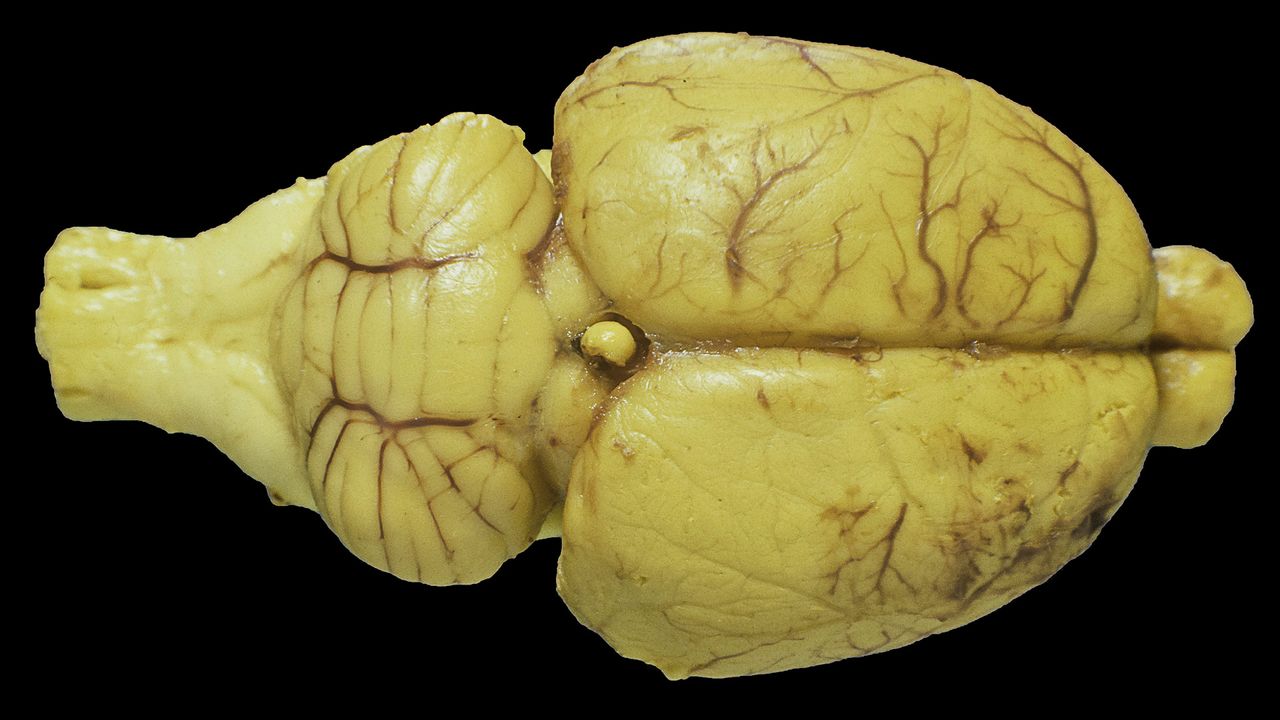
Researchers train living rat neurons to perform real-time AI computations — experiments could pave the way for new brain-machine interfaces
Researchers train living rat neurons to perform real-time AI computations — experiments could pave the way for new brain-machine interfaces

Please add New hardware the AMD ai pro R9700 "My GPU"
Please add “AMD Radeon AI PRO R9700” to “My Hardware” Specs: GPU Memory: Volume Memory - 32GB Memory Type - GDDR6 AMD Infinity Push Technology - 64 MB Memory Interface - 256-bit Max Memory Letters - 640 GB/s GPU: AMD RDNA™ 4 Execution Accelerators - 64 Against AI Accelerators - 128 Streams - Processors 4096 Compute Units - 64 Boost Ads - Up to 2920MHz Gameplay - 2350MHz Max Charged Speed - Up to 373.76 GP/s Max Single Precision (FP32 Vector) Performance - 47.8 TFLOPs Max Half Precision (FP16 Vector) Performance - 95.7 TFLOPs Max Half Precision (FP16 Matrix) Performance - 191 TFLOPs Gain Structural Spurtity Max Half-Precision (FP16 Matrix) Performance - 383 TFLOPs Max 8-Bit Performance (FP8 Matrix) (E5M2, E4M3) - 383 TFLOPs 8-Bit Performance (FP8 Matrix) with Structured Spursity (E5M2, E4
Discussion
Sign in to join the discussion
No comments yet — be the first to share your thoughts!