
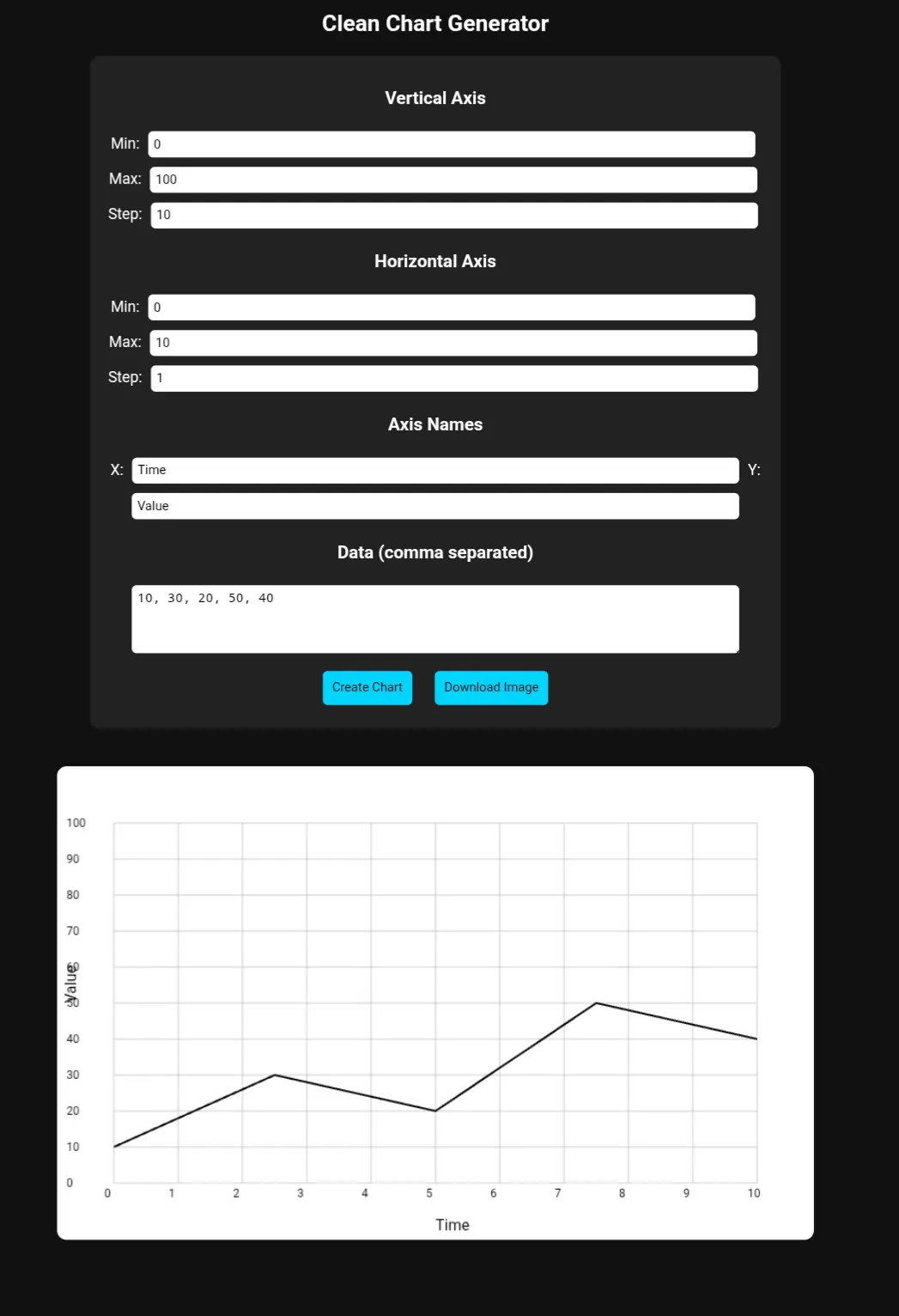
Interactive Data Chart Generator (Pure JavaScript Canvas Tool)
Hey there, little explorer! 👋
Imagine you have lots of colorful toys, like red blocks and blue cars. And you want to show your friends how many of each you have! 🧸🚗
This grown-up made a special drawing board on the computer. It's like a magic drawing board! You tell it how many red blocks and blue cars you have, and poof! It draws a pretty picture, like a tall tower for the red blocks and a short tower for the blue cars.
And guess what? He used a super-duper smart helper, like a tiny robot brain, to make it even easier to draw those pictures! So you can see your toys' numbers in a fun, colorful way! ✨🎨
Charts had become a normal part of our lives, visual elements of our work. Why not create a chart-building webpage where you enter the data and it creates the webpage? And with the help of AI it could be even easier. Read All
New Story
by
Joe bou khalil
byJoe bou khalil @Joeboukhalil
I'm an independent creator passionate about building useful tools, simulations, and theories that make complex ideas more accessible. I explore the intersection of technology, education, and human experience—often with the help of AI like ChatGPT.
April 1st, 2026
Your browser does not support the audio element.
Speed
Voice
About Author
I'm an independent creator passionate about building useful tools, simulations, and theories that make complex ideas more accessible. I explore the intersection of technology, education, and human experience—often with the help of AI like ChatGPT.
TOPICS
Related Stories
Hackernoon AI
https://hackernoon.com/interactive-data-chart-generator-pure-javascript-canvas-tool?source=rssSign in to highlight and annotate this article

Conversation starters
Daily AI Digest
Get the top 5 AI stories delivered to your inbox every morning.
Knowledge Map
Connected Articles — Knowledge Graph
This article is connected to other articles through shared AI topics and tags.
More in Products

How to Automate Upwork Proposals with Python (Real Code Inside)
How to Automate Upwork Proposals with Python (Real Code Inside) Last month I sent 47 proposals on Upwork. I personally wrote 3 of them. The other 44 were drafted by Claude AI, filtered through a scoring algorithm I built over two weekends, and delivered to my inbox via Telegram before most freelancers even saw the job posting. My response rate on those AI-assisted proposals? 31%. Higher than my hand-written average from the previous quarter. This article shows you exactly how I built that system. The Real Problem With Upwork Proposals If you've freelanced on Upwork for more than a month, you know the grind. You refresh the job feed. You see something promising. You spend 20 minutes writing a tailored proposal. You hit submit. Nothing. Meanwhile, the client already hired someone who respond
Migration and Modernisation with Kiro CLI
Background Once upon a time, there was a developer who needed to keep updating the dependencies of each tool/product/software. There is a dependabot which still helpful for updating minor versions. However, it will need a manual update/migration whenever a major version comes. Migrating to a major version is frustrating for me if I need to update it in bulk. Updating only one app is pretty fine, but how about multiple apps? I believe we will stop doing it. AI Era The AI (Artificial Intelligence) era has come. Much automation can be achieved by AI. I have a good belief that I can migrate much more easily whenever I use AI. Not like the old age, which needs many manual changes, especially the breaking changes! Migration as Vibes I'm starting the migration as vibes. So, I only put a simple pr
Destructuring in JavaScript
Have you ever written code like this? ```js id="before1" const user = { name: "Rahul", age: 22 }; const name = user.name; const age = user.age; It works—but it’s **repetitive**. Destructuring lets you **extract values from arrays or objects in a cleaner way**. --- ## 🧠 What Is Destructuring? Destructuring is a JavaScript feature that allows you to: > Unpack values from arrays or objects into **distinct variables** in a single step. --- ## 🔹 Destructuring Arrays Instead of: ```js id="arrayBefore" const numbers = [10, 20, 30]; const first = numbers[0]; const second = numbers[1]; Use destructuring: ```js id="arrayAfter" const [first, second] = [10, 20, 30]; console.log(first); // 10 console.log(second); // 20 ### ✅ Notes: * Order matters in arrays * You can skip items with commas: ```js id=
Map and Set in JavaScript
JavaScript offers Map and Set as modern data structures to solve common problems with traditional objects and arrays. Let’s explore what they are, how they differ, and when to use them. 🧠 What Is a Map? A Map is a collection of key-value pairs , similar to an object, but with some improvements: Keys can be any type (objects, functions, primitives) Preserves insertion order Built-in methods to get, set, delete, and check entries ✅ Map Example ```js id="map1" const map = new Map(); map.set("name", "Rahul"); map.set("age", 22); map.set(true, "Boolean key"); console.log(map.get("name")); // Rahul console.log(map.has("age")); // true console.log(map.size); // 3 --- ### 📊 Map Visual ```id="viz1" Key → Value "name" → "Rahul" "age" → 22 true → "Boolean key" ⚡ Map vs Object Feature Map Object Key
Discussion
Sign in to join the discussion
No comments yet — be the first to share your thoughts!