How to Monitor Your DataStax RAG Applications with Fiddler
Learn how to monitor and ensure your DataStax RAG-based LLM applications are correct, safe, and private with the Fiddler AI Observability platform.
In the first part of this series, we explored the power of Fiddler AI and DataStax when used together to enhance RAG-based LLM applications and ensure their correctness, safety, and privacy. In this second part, we’ll dive deeper into the technical integration required to bring Fiddler’s AI Observability platform for generative AI (GenAI) to monitor and optimize the performance, accuracy, safety, and privacy of your RAG-based LLM applications.
As a refresher, DataStax’s Astra DB is a Database-as-a-Service (DBaaS) that supports vector search, providing both real-time vector and non-vector data. This allows you to quickly build accurate GenAI applications and deploy them into production. Built on Apache Cassandra®, Astra DB adds real-time vector capabilities that can scale to billions of vectors and embeddings; as such, it’s a critical component in a GenAI application architecture.
The Fiddler AI Observability platform enables you to monitor and protect your LLM applications with industry-leading LLM application scoring. This scoring is powered by proprietary, fine-tuned Trust Models that assess prompts and responses across trust-related dimensions, like faithfulness, legality, PII leakage, jailbreaking, and other factors to monitor and detect LLM issues. These Trust Models enable you to not only detect issues in real-time but also allow you to perform offline diagnostics, with the Fiddler platform, to identify the root cause of the issues.
The architecture below shows how DataStax’s Astra DB and Fiddler’s AI Observability are integrated with the spans of your RAG-based LLM applications.
As we delve deeper into this integration, we will share the code snippets and technical integration details needed to wire up your DataStax-powered LLM applications with the Fiddler AI Observability platform. For this technical deep dive, we have instrumented DataStax’s own publicly available WikiChat application.
Use Case: AI Observability for the DataStax WikiChat RAG Chatbot
WikiChat is an example RAG-based LLM application offered for free by DataStax and is meant to be used as a starter project that illustrates how to create a chatbot using Astra DB. It's designed to be easy to deploy and use, with a focus on performance and usability.
The application retrieves the 10,000 most recently updated Wikipedia articles to enhance its RAG-based retrieval, providing helpful and timely answers on topics currently being updated.
How to Onboard WikiChat to Fiddler
For the purposes of this technical integration, we will be publishing our WikiChat LLM trace data to our Fiddler environment. The trace data includes the prompt, the prompt context, the document data retrieved from Astra’s vector DB during RAG retrieval, and the application response. Other metadata can also be passed in for tracking purposes like the LLM foundation model being used, the duration of the trace, the user’s session ID, and more.
Before publishing trace data to Fiddler, we first need to establish (or “onboard”) the WikiChat chatbot to our Fiddler environment. This onboarding process allows Fiddler to understand the “schema” of our trace data. Once onboarded, Fiddler will have an understanding of the data from our LLM application data, as shown in the LLM application card below.
The code snippets below illustrate how we used the Fiddler Python client to onboard the WikiChat LLM application within the Fiddler environment.
First, we must install the Fiddler Python client.
!pip install -q fiddler-client
import numpy as np import pandas as pd import time as time import fiddler as fdl`
And connect that client to DataStax’s Fiddler environment.
URL = 'https://datastax.trial.fiddler.ai' TOKEN = 'BNt0d3zQaik_I8D6AsMjO_kWOXVly4HSGK_blah_blah'URL = 'https://datastax.trial.fiddler.ai' TOKEN = 'BNt0d3zQaik_I8D6AsMjO_kWOXVly4HSGK_blah_blah'fdl.init( url=URL, token=TOKEN )`
Then, we load a dataframe with sample trace data that the Fiddler client will use to inspect the columns and data types of our WikiChat trace data. This sample data allows Fiddler to understand the data types of each column in our trace data.
PATH_TO_SAMPLE_CSV = 'https://docs.google.com/spreadsheets/d' sample_df = pd.read_csv(PATH_TO_SAMPLE_CSV) sample_dfPATH_TO_SAMPLE_CSV = 'https://docs.google.com/spreadsheets/d' sample_df = pd.read_csv(PATH_TO_SAMPLE_CSV) sample_dfNext, we’ll define the Fiddler Trust Scores we want to use for monitoring the behavior of our WikiChat chatbot. Below, we instruct Fiddler to generate embedding vectors for our unstructured prompts and responses. Additionally, we configure Fiddler to score our WikiChat traces for toxicity, answer relevance, sentiment, PII-leakage, and prompt safety. A full list of Fiddler Trust Scores can be found on Fiddler’s documentation site.
fiddler_trust_scores = [ fdl.Enrichment( name='Enrichment Prompt Embedding', enrichment='embedding', columns=['question'], ), fdl.TextEmbedding( name='Prompt TextEmbedding', source_column='question', column='Enrichment Prompt Embedding', n_tags=10 ), #response enrichments fdl.Enrichment( name='Enrichment Response Embedding', enrichment='embedding', columns=['answer'], ), fdl.TextEmbedding( name='Response TextEmbedding', source_column='answer', column='Enrichment Response Embedding', n_tags=10 ), fdl.Enrichment( name='Toxicity', enrichment='toxicity', columns=['question', 'answer'], ), fdl.Enrichment( name = 'Answer Relevance', enrichment = 'answer_relevance', columns = ['question', 'answer'], config = { 'prompt' : 'question', 'response' : 'answer', }, ), fdl.Enrichment( name='Question Sentiment', enrichment='sentiment', columns=['question'], ), fdl.Enrichment( name='Prompt PII', enrichment='pii', columns=['question'], # one or more columns allow_list=['fiddler'], # Optional: list of strings that are white listed score_threshold=0.85, # Optional: float value for minimum possible confidence ), fdl.Enrichment( name='Response PII', enrichment='pii', columns=['answer'], # one or more columns allow_list=['fiddler'], # Optional: list of strings that are white listed score_threshold=0.85, # Optional: float value for minimum possible confidence ), fdl.Enrichment( name='FTL Safety', enrichment='ftl_prompt_safety', columns=['question', 'answer'], ), ]fiddler_trust_scores = [ fdl.Enrichment( name='Enrichment Prompt Embedding', enrichment='embedding', columns=['question'], ), fdl.TextEmbedding( name='Prompt TextEmbedding', source_column='question', column='Enrichment Prompt Embedding', n_tags=10 ), #response enrichments fdl.Enrichment( name='Enrichment Response Embedding', enrichment='embedding', columns=['answer'], ), fdl.TextEmbedding( name='Response TextEmbedding', source_column='answer', column='Enrichment Response Embedding', n_tags=10 ), fdl.Enrichment( name='Toxicity', enrichment='toxicity', columns=['question', 'answer'], ), fdl.Enrichment( name = 'Answer Relevance', enrichment = 'answer_relevance', columns = ['question', 'answer'], config = { 'prompt' : 'question', 'response' : 'answer', }, ), fdl.Enrichment( name='Question Sentiment', enrichment='sentiment', columns=['question'], ), fdl.Enrichment( name='Prompt PII', enrichment='pii', columns=['question'], # one or more columns allow_list=['fiddler'], # Optional: list of strings that are white listed score_threshold=0.85, # Optional: float value for minimum possible confidence ), fdl.Enrichment( name='Response PII', enrichment='pii', columns=['answer'], # one or more columns allow_list=['fiddler'], # Optional: list of strings that are white listed score_threshold=0.85, # Optional: float value for minimum possible confidence ), fdl.Enrichment( name='FTL Safety', enrichment='ftl_prompt_safety', columns=['question', 'answer'], ), ]We then create a model_spec object which defines the schema of our WikiChat application within Fiddler, and…
model_spec = fdl.ModelSpec( inputs=['question', 'answer', 'documents'], metadata=['url', 'timestamp'], custom_features = fiddler_trust_scores )model_spec = fdl.ModelSpec( inputs=['question', 'answer', 'documents'], metadata=['url', 'timestamp'], custom_features = fiddler_trust_scores )model_task = fdl.ModelTask.LLM
timestamp_column = 'timestamp'`
Onboard (or "create") the application within Fiddler by calling model.create().
MODEL_NAME = 'wikipedia_chatbot_model_v6'
model = fdl.Model.from_data( source=sample_df, name=MODEL_NAME, project_id=project.id, spec=model_spec, task=model_task, event_ts_col=timestamp_column )
model.create()`
Once complete, the application will appear in the Fiddler environment, with the Trust Scores we specified available under the "Custom Features" tab.
How to Publish LLM Trace Data to the Fiddler AI Observability Platform
The WikiChat chatbot is built using next.js. In Next.js 14, you can use the API Route, which runs on the server side, to ingest chat events into Fiddler. To do this, create a file in the api/fiddler_ingestion/route.ts folder and place the following code blocks in it.
This will involve importing necessary modules from Next.js for handling requests and responses, along with Axios for making HTTP requests and handling responses.
import { NextRequest, NextResponse } from "next/server"; import axios, { AxiosInstance, AxiosResponse } from "axios";import { NextRequest, NextResponse } from "next/server"; import axios, { AxiosInstance, AxiosResponse } from "axios";Extracting environment variables for Fiddler API.
const { FIDDLER_MODEL_ID, FIDDLER_TOKEN, FIDDLER_BASE_URL } = process.env;
Enum to define the environment types and Set the current environment to production.
enum EnvType { PRODUCTION = "PRODUCTION", PRE_PRODUCTION = "PRE_PRODUCTION", } const environment = EnvType.PRODUCTION;enum EnvType { PRODUCTION = "PRODUCTION", PRE_PRODUCTION = "PRE_PRODUCTION", } const environment = EnvType.PRODUCTION;Function to create an authenticated Axios session with the Fiddler API.
function getAuthenticatedSession(): AxiosInstance { return axios.create({ headers: { Authorization: function getAuthenticatedSession(): AxiosInstance { return axios.create({ headers: { Authorization: }, }); } }, }); }Function to publish or update events to the Fiddler API.
async function publishOrUpdateEvents( source: object, // The event source data environment: EnvType, // The environment type (production or pre-production) datasetName?: string, // Optional dataset name update: boolean = false, // Flag to determine if the event should be updated or created new ): Promise { const session = getAuthenticatedSession(); // Get the authenticated Axios session const method = update ? "patch" : "post"; // Determine HTTP method based on the update flag const url = async function publishOrUpdateEvents( source: object, // The event source data environment: EnvType, // The environment type (production or pre-production) datasetName?: string, // Optional dataset name update: boolean = false, // Flag to determine if the event should be updated or created new ): Promise { const session = getAuthenticatedSession(); // Get the authenticated Axios session const method = update ? "patch" : "post"; // Determine HTTP method based on the update flag const url = ; // Construct the Fiddler API URL const data = { source: source, model_id: FIDDLER_MODEL_ID, env_type: environment, env_name: datasetName, };; // Construct the Fiddler API URL const data = { source: source, model_id: FIDDLER_MODEL_ID, env_type: environment, env_name: datasetName, };let response: AxiosResponse;
try {
// Send the request to the Fiddler API
response = await session.request({ method, url, data });
} catch (error) {
// Handle errors from the Axios request
if (axios.isAxiosError(error)) {
throw new Error(error.response?.statusText); // Throw error with response status text if available
} else {
throw new Error(An unexpected error occurred : ${error}); // Throw generic error message
}
}
return response.data; // Return the data from the Fiddler API response }`
Handler for POST requests in NextJs 14 Api Route.
export async function POST(req: NextRequest, res: NextResponse) { const fields = ["question", "answer", "documents", "url"]; // Required fields in the request body const data = await req.json(); // Parse the JSON body of the requestexport async function POST(req: NextRequest, res: NextResponse) { const fields = ["question", "answer", "documents", "url"]; // Required fields in the request body const data = await req.json(); // Parse the JSON body of the request// Check if all required fields are present in the request body
for (const field of fields) {
if (!data[field]) {
return NextResponse.json({ error: ${field} is missing in request body }, { status: 400 }); // Return error if a field is missing
}
}
// Extract relevant fields from the request data const { question, answer, context, url } = data || {};
// Construct the source object to be sent to the Fiddler API const source = { type: "EVENTS", events: [ { question: question, // Chat Question answer: answer, // Chat Answer documents: context, // Query Context from the database url: url, // URL of the documents from teh Database timestamp: Math.floor(Date.now() / 1000), // Current timestamp in seconds }, ], };
try { // Publish or update the event in Fiddler const result = await publishOrUpdateEvents(source, environment, null, false); console.log("Event Ingested Successfully into Fiddler:", result); // Log success message return NextResponse.json(result, { status: 200 }); // Return success response with result data } catch (error) { console.error("An error occurred while ingesting event into the fiddler:", error.message); // Log error message return NextResponse.json({ error: error.message }, { status: 400 }); // Return error response with error message } }`
After placing the above code in route.ts, you can simply call it using the fetch method from your page component as shown below.
Function in client side component to ingest the Fiddler events.
const fiddlerIngestion = async (question: string, answer: string, documents: string, url: string) => { try { const response = await axios.post( "/api/fiddler_ingestion", { question: question, answer: answer, documents: documents, url: url }, { headers: { "Content-Type": "application/json", }, }, ); if (response.statusText !== "OK") { throw new Error(const fiddlerIngestion = async (question: string, answer: string, documents: string, url: string) => { try { const response = await axios.post( "/api/fiddler_ingestion", { question: question, answer: answer, documents: documents, url: url }, { headers: { "Content-Type": "application/json", }, }, ); if (response.statusText !== "OK") { throw new Error(); } } catch (error) { console.error("Error:", error); } };); } } catch (error) { console.error("Error:", error); } };Fiddler Delivers Rich Insights on RAG-based LLM Applications
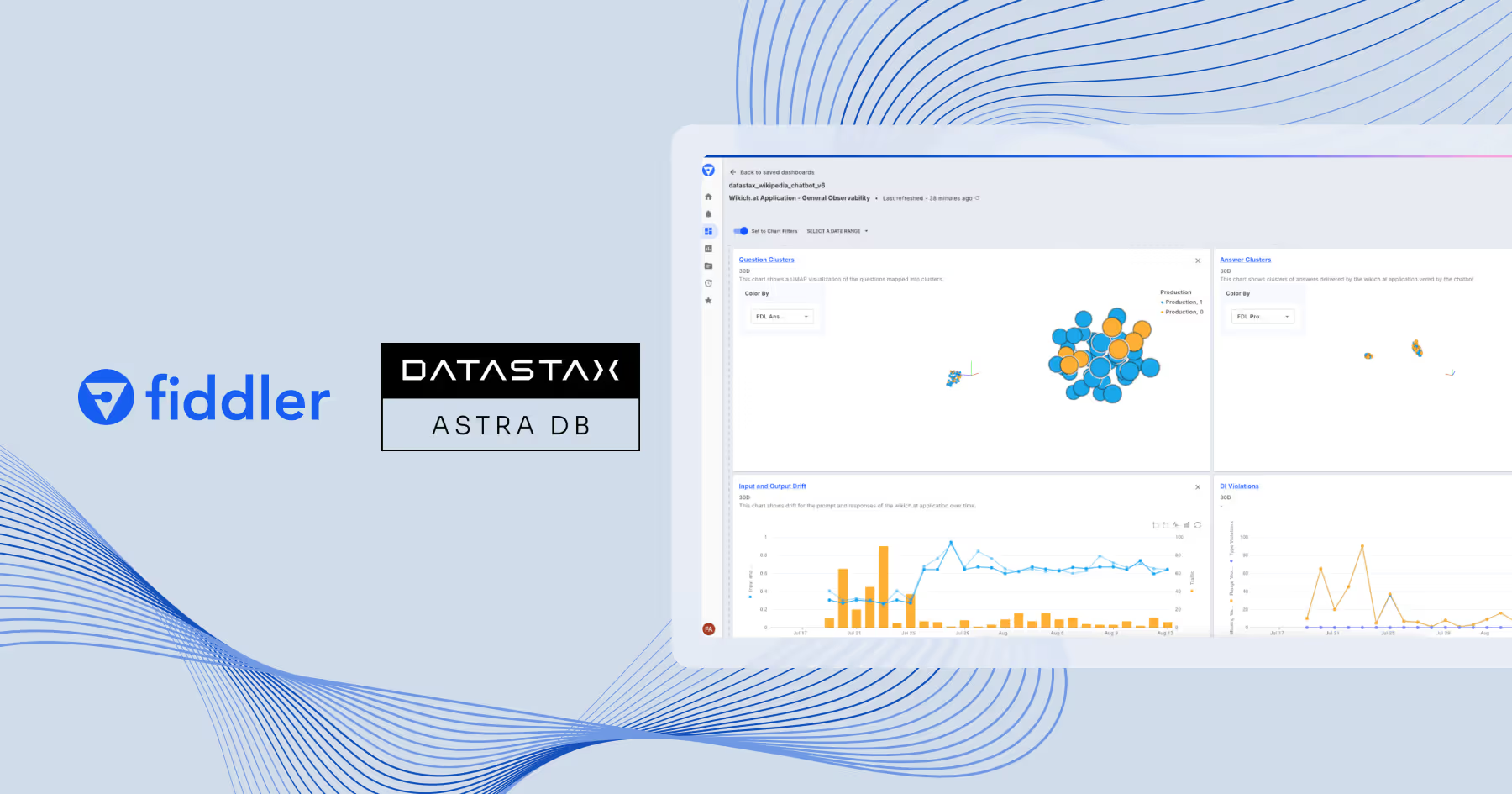
With trace data flowing from the WikiChat application, Fiddler Trust Models will score the prompts, responses, and metadata, assessing the trust-dimensions to detect and alert you to issues related to correctness and safety. You can customize dashboards and reports to focus on insights most relevant to your use case. For instance, you can create reports to track different dimensions of hallucination, such as faithfulness/groundedness, coherence, and relevance. Additionally, Fiddler will instantly detect unsafe events like prompt injection attacks, toxic responses, or PII leakage, allowing you to take corrective measures to protect your RAG-based LLM application.
Once correctness, safety, or privacy issues are detected, you can run diagnostics to understand the root cause of the problem. You can visualize problematic prompts and responses using a 3D UMAP, and apply filters and segments to further analyze the issue in greater detail.
Tracking the LLM metrics most relevant to your use case also helps you measure the success of your LLM application against your business KPIs. You can share findings and insights with executives and business stakeholders on how LLM metrics connect to KPIs. Sample business KPIs below:
- Customer Trust and SatisfactionLLM MetricsFaithfulness/GroundednessAnswer RelevanceContext RelevancePIISentiment
- User EngagementLLM MetricsAnswer RelevanceContext RelevanceSession Length
- Compliance and Risk ManagementLLM MetricsFaithfulness/GroundednessPIIRegex MatchBanned Keywords
- SecurityLLM MetricsJailbreakPII
- Operational EfficiencyLLM MetricsFaithfulness/GroundednessConcisenessCost (Tokens)Latency
You can explore how to build RAG chatbots by reading our 10 Lessons from Developing an AI Chatbot Using RAG guide.
You can also request a demo of the Fiddler AI Observability platform to explore how to monitor your RAG-based LLM applications.
Subscribe to our newsletter
Monthly curated AI content, Fiddler updates, and more.
Sign in to highlight and annotate this article

Conversation starters
Daily AI Digest
Get the top 5 AI stories delivered to your inbox every morning.
More about
applicationplatform
Ontology-Constrained Neural Reasoning in Enterprise Agentic Systems: A Neurosymbolic Architecture for Domain-Grounded AI Agents
arXiv:2604.00555v1 Announce Type: new Abstract: Enterprise adoption of Large Language Models (LLMs) is constrained by hallucination, domain drift, and the inability to enforce regulatory compliance at the reasoning level. We present a neurosymbolic architecture implemented within the Foundation AgenticOS (FAOS) platform that addresses these limitations through ontology-constrained neural reasoning. Our approach introduces a three-layer ontological framework--Role, Domain, and Interaction ontologies--that provides formal semantic grounding for LLM-based enterprise agents. We formalize the concept of asymmetric neurosymbolic coupling, wherein symbolic ontological knowledge constrains agent inputs (context assembly, tool discovery, governance thresholds) while proposing mechanisms for extendi
Benchmarking Filtered Approximate Nearest Neighbor Search Algorithms on Transformer-based Embedding Vectors
arXiv:2507.21989v3 Announce Type: replace-cross Abstract: Advances in embedding models for text, image, audio, and video drive progress across multiple domains, including retrieval-augmented generation, recommendation systems, and others. Many of these applications require an efficient method to retrieve items that are close to a given query in the embedding space while satisfying a filter condition based on the item's attributes, a problem known as filtered approximate nearest neighbor search (FANNS). By performing an in-depth literature analysis on FANNS, we identify a key gap in the research landscape: publicly available datasets with embedding vectors from state-of-the-art transformer-based text embedding models that contain abundant real-world attributes covering a broad spectrum of a
Phonological Fossils: Machine Learning Detection of Non-Mainstream Vocabulary in Sulawesi Basic Lexicon
arXiv:2604.00023v1 Announce Type: new Abstract: Basic vocabulary in many Sulawesi Austronesian languages includes forms resisting reconstruction to any proto-form with phonological patterns inconsistent with inherited roots, but whether this non-conforming vocabulary represents pre-Austronesian substrate or independent innovation has not been tested computationally. We combine rule-based cognate subtraction with a machine learning classifier trained on phonological features. Using 1,357 forms from six Sulawesi languages in the Austronesian Basic Vocabulary Database, we identify 438 candidate substrate forms (26.5%) through cognate subtraction and Proto-Austronesian cross-checking. An XGBoost classifier trained on 26 phonological features distinguishes inherited from non-mainstream forms wi
Knowledge Map
Connected Articles — Knowledge Graph
This article is connected to other articles through shared AI topics and tags.
More in Products

darya.ai and Yotta Data Services to build green AI data center in Tajikistan - Communications Today
<a href="https://news.google.com/rss/articles/CBMitgFBVV95cUxQTEgyTFJNcU5kdWg0VFRua0RrSUZkU2ZjZE1zTzIwcXgxQmdqNld5ZldtUE1hUWlqUTFzS1JQQ19lcVVoMGg1dE5ybk1hcUNuc1BGMzVtbF9xRU0zSzRNWm9OeEhhcDhNeGd3aUd0UHJrRktEOEdoZkhvVHVqWTU0VzIyTV9heUZQQ1Q2cklwRmlMOFM0Y3RNVGVieEdnb3NCSUEwT0ZkM1RyLXA2eWhTUUpLYU5mdw?oc=5" target="_blank">darya.ai and Yotta Data Services to build green AI data center in Tajikistan</a> <font color="#6f6f6f">Communications Today</font>
6 top innovative startups in Tajikistan in 2025 - old.asiaplustj.info
<a href="https://news.google.com/rss/articles/CBMisgFBVV95cUxQMHpPZ2FPWU5oSm1vbmc3Ql84dnpKOTNhY29ZcTBkR1BzOU5OVmI3ai1qaWNrMXV4Tm1TdjhjUFF3Snk2VENialdpOWZZcXFWR2c0YmY5RFpuRzYzay15VFItYjBxTkZTUDJYdGRfYkpQaFRFeC1aLW1jWW1nUjVZeVJseURCa3ZiRkdZM0MxWXVyTTNCdGdibzFOcnFPWFk1T3hCVTJhdXJCbmVqaVdoNm5B?oc=5" target="_blank">6 top innovative startups in Tajikistan in 2025</a> <font color="#6f6f6f">old.asiaplustj.info</font>
A new WMG deal, an Ed Sheeran collaboration and 10M AI music production users… 3 things we learned from Tencent Music’s Q4 earnings call - Music Business Worldwide
<a href="https://news.google.com/rss/articles/CBMi_wFBVV95cUxQVF91WjQtUHdNS2puaGVRdktEY1N5ZHRrREZhWmRaOVF1UE1rZU0xaHlRV21DSVE0NngzUzRRQ2JyMTdLV0V0LVdNbEFOYjN6WmRveE1ocE8zX2pDSGJ1MUV3eFphU1N1Um96cGxTbm9QcHhBRTlLSFI0NUZtdkR0MkpVOFl4N3NtUEtOZjVmRGIwR25qeDlSU3lpd1dzeVd1OVVnQU9JX1dheGVZQk9qRE9rUjZSYkNBVTN6NXk2OWhSU3lTUktCcllnWkFWMlpGRndTSUdQNTk4aWhUeXpwQkoxbG9TNGk1clczeTB6YnRjYm5yS2xtV0Fma1pBUm8?oc=5" target="_blank">A new WMG deal, an Ed Sheeran collaboration and 10M AI music production users… 3 things we learned from Tencent Music’s Q4 earnings call</a> <font color="#6f6f6f">Music Business Worldwide</font>
Agent psychometrics: Task-level performance prediction in agentic coding benchmarks
arXiv:2604.00594v1 Announce Type: new Abstract: As the focus in LLM-based coding shifts from static single-step code generation to multi-step agentic interaction with tools and environments, understanding which tasks will challenge agents and why becomes increasingly difficult. This is compounded by current practice: agent performance is typically measured by aggregate pass rates on benchmarks, but single-number metrics obscure the diversity of tasks within a benchmark. We present a framework for predicting success or failure on individual tasks tailored to the agentic coding regime. Our approach augments Item Response Theory (IRT) with rich features extracted from tasks, including issue statements, repository contexts, solutions, and test cases, and introduces a novel decomposition of age
Discussion
Sign in to join the discussion
No comments yet — be the first to share your thoughts!