

How much faster is speaking, compared to typing on laptop vs phone vs writing?
So as I haven’t been able to speak the past short while , one thing I have noticed is that it is harder to communicate with others. I know what you are thinking: “Wow, who could have possibly guessed? It’s harder to converse when you can’t speak?”. Indeed, I didn’t expect it either. But how much harder is it to communicate? One proxy you can use is the classic typing metric, words per minute (wpm). So I spend some time looking at various forms of communication and how they differ between one another. For most tests, i used https://www.typingtom.com/english/typing-test/30s So I list below the forms of communication I have tried and how slow they are. Here are the rough tiers that I found: Ultra-slow-speed tier (~10-20wpm) Shaping out non-standard letters with my hands This is obviously the
So as I haven’t been able to speak the past short while, one thing I have noticed is that it is harder to communicate with others. I know what you are thinking: “Wow, who could have possibly guessed? It’s harder to converse when you can’t speak?”. Indeed, I didn’t expect it either.
But how much harder is it to communicate?
One proxy you can use is the classic typing metric, words per minute (wpm). So I spend some time looking at various forms of communication and how they differ between one another.
For most tests, i used https://www.typingtom.com/english/typing-test/30s
So I list below the forms of communication I have tried and how slow they are.
Here are the rough tiers that I found:
Ultra-slow-speed tier
(~10-20wpm) Shaping out non-standard letters with my hands
This is obviously the worst method of communication. Most people don’t know sign language, but can pretty intuitively learn how to infer most-but-not-all letters without needing to use a table. With people I have spend more time with, they have managed to learn it moderately well, but probably they should just learn sign language.
Then with some words, even with the word spelled out, people sometimes struggle to understand the written word spelled out in letters to translate that into the normal way they understand words.
That being said, sometimes people can use their context skills to infer what is wanted by just the first letter or two, so it’s not completely useless. And often it can be easiest since no materials are needed.
Pretty-slow tier
(~40wpm) Drawing on a whiteboard
(~40wpm) Typing with one hand on my phone
(~45wmp) Typing on my laptop with one hand
I find it slightly surprising how close these end up converging together.
For the most part. Writing on a whiteboard has the added benefit of being much easier to share in some contexts, while writing on a device has the benefit of being able to use Text-To-Speech (TTS). But I find both kinda inadequate in their own ways.
(But you see, there aren’t that many situations where typing with one hand comes up, so perhaps I just haven’t had that much practice with it? unclear)
Respectable tier
(~60-70wpm) Typing on my phone with two hands
(~80-90wpm) Typing on my laptop
Yeah I was somewhat surprised when typing on my phone with two hands, that it was not actually as much slower than typing on my laptop is. However, I guess this doesn’t factor into account that when typing on my phone, I might be outside in the cold or rain and simultaneously trying to walk, which combine to make typing on the phone feel much worse.
And yeah, I do wish I was faster at typing on my laptop, but I guess I never got around to it. But it makes sense that using two hands you get roughly double speed than you do with one hand.
Actually-fast tier
(~180-200) speaking at a normal pace
I asked a few people to do a speaking speed test at a comfortable talking speed when reading, and found that it is much faster than typing by a significant margin, about double again. And this is effortless.
Speech also includes tone-of-voice and such, in a way that is only implicitly captured when typing and using a real-time TTS model. (my partner still sometimes doesn’t quite decouple that the tone of the “OK” on the TTS is not the tone with which I actually mean it).
Very-fast tier
(~260-340wpm) Speaking at a rushed pace
I then subjected my same friends to the torture of reading the same passage as fast as they could. And they managed to achieve another ~1.5x in speed compared to normal speaking speed. It goes to show how language is quite optimized for speaking.
What have we learned?
One update from doing all of this, is “wow, maybe when I get my voice back, I should just consider improving my Speech-to-Text game” (~10h maybe?), since the input is just so much faster than typing. (2-4x faster!). I used to be a big STT hater, so this is a moderately big update for me.
Some notes though:
One thing, is that the wpm of most of the methods are slightly higher than one might expect based on the naive number. When I do end up typing some sentence out, people can often infer what I am trying to say before I am finished typing. (I usually do end up still typing out the whole sentence anyway though). So one could potentially optimize for this somehow.
Another note, is that when speaking, I very rarely make verbal typos, and when I do, they are quite phonetically similar. When typing however, I make typos more often typographically similar, but when they are passed to a TTS model, the result is often catastrophic and illegible to people who want to understand what I just said.
This list also excludes some possible communication methods that I did not put in the effort to learn. ASL can reach speeds comparable to speaking if you learn all the vocab fluently. If one spends a year or two learning stenography, one can achieve 200-300wpm by typing as well. But I never learned either of these.
Overall, I remain bullish on speaking, more than ever, so I will try see what I can do in the future with this information.
Sign in to highlight and annotate this article

Conversation starters
Daily AI Digest
Get the top 5 AI stories delivered to your inbox every morning.
More about
modelupdate
Got Gemma 4 running locally on CUDA, both float and GGUF quantized, with benchmarks
Spent the last week getting Gemma 4 working on CUDA with both full-precision (BF16) and GGUF quantized inference. Here's a video of it running. Sharing some findings because this model has some quirks that aren't obvious. Performance (Gemma4 E2B, RTX 3090): | Config | BF16 Float | Q4_K_M GGUF | |-------------------------|------------|-------------| | short gen (p=1, g=32) | 110 tok/s | 170 tok/s | | long gen (p=512, g=128) | 72 tok/s | 93 tok/s | The precision trap nobody warns you about Honestly making it work was harder than I though. Gemma 4 uses attention_scale=1.0 (QK-norm instead of the usual 1/sqrt(d_k) scaling). This makes it roughly 22x more sensitive to precision errors than standard transformers. Things that work fine on LLaMA or Qwen will silently produce garbage on Gemma 4: F1
![[llama.cpp] 3.1x Q8_0 speedup on Intel Arc GPUs - reorder optimization fix (PR submitted)](https://d2xsxph8kpxj0f.cloudfront.net/310419663032563854/konzwo8nGf8Z4uZsMefwMr/default-img-neural-network-P6fqXULWLNUwjuxqUZnB3T.webp)
[llama.cpp] 3.1x Q8_0 speedup on Intel Arc GPUs - reorder optimization fix (PR submitted)
TL;DR : Q8_0 quantization on Intel Xe2 (Battlemage/Arc B-series) GPUs was achieving only 21% of theoretical memory bandwidth. My AI Agent and I found the root cause and submitted a fix that brings it to 66% - a 3.1x speedup in token generation. The problem : On Intel Arc Pro B70, Q8_0 models ran at 4.88 t/s while Q4_K_M ran at 20.56 t/s; a 4x gap that shouldn't exist since Q8_0 only has 1.7x more data. After ruling out VRAM pressure, drivers, and backend issues, we traced it to the SYCL kernel dispatch path. Root cause : llama.cpp's SYCL backend has a "reorder" optimization that separates quantization scale factors from weight data for coalesced GPU memory access. This was implemented for Q4_0, Q4_K, and Q6_K - but Q8_0 was never added. Q8_0's 34-byte blocks (not power-of-2) make the non-r

Gemma-4 E4B model's vision seems to be surprisingly poor
The E4B model is performing very poorly in my tests and since no one seems to be talking about it that I had to unlurk myself and post this. Its performing badly even compared to qwen3.5-4b. Can someone confirm or dis...uh...firm (?) My test suite has roughly 100 vision related tasks: single-turn with no tools, only an input image and prompt, but with definitive answers (not all of them are VQA though). Most of these tasks are upstream from any kind of agentic use case. To give a sense: there are tests where the inputs are screenshots from which certain text information has to be extracted, others are images on which the model has to perform some inference (for example: geoguessing on travel images, calculating total cost of a grocery list given an image of the relevant supermarket display
Knowledge Map
Connected Articles — Knowledge Graph
This article is connected to other articles through shared AI topics and tags.
More in Releases

Anthropic reveals $30bn run rate and plans to use 3.5GW of new Google AI chips
Broadcom's building the silicon and is chuffed about that, but also notes Anthropic remains a risk Broadcom has announced that Google has asked it to build next-generation AI and datacenter networking chips, and that Anthropic plans to consume 3.5GW worth of the accelerators it delivers to the ads and search giant.…
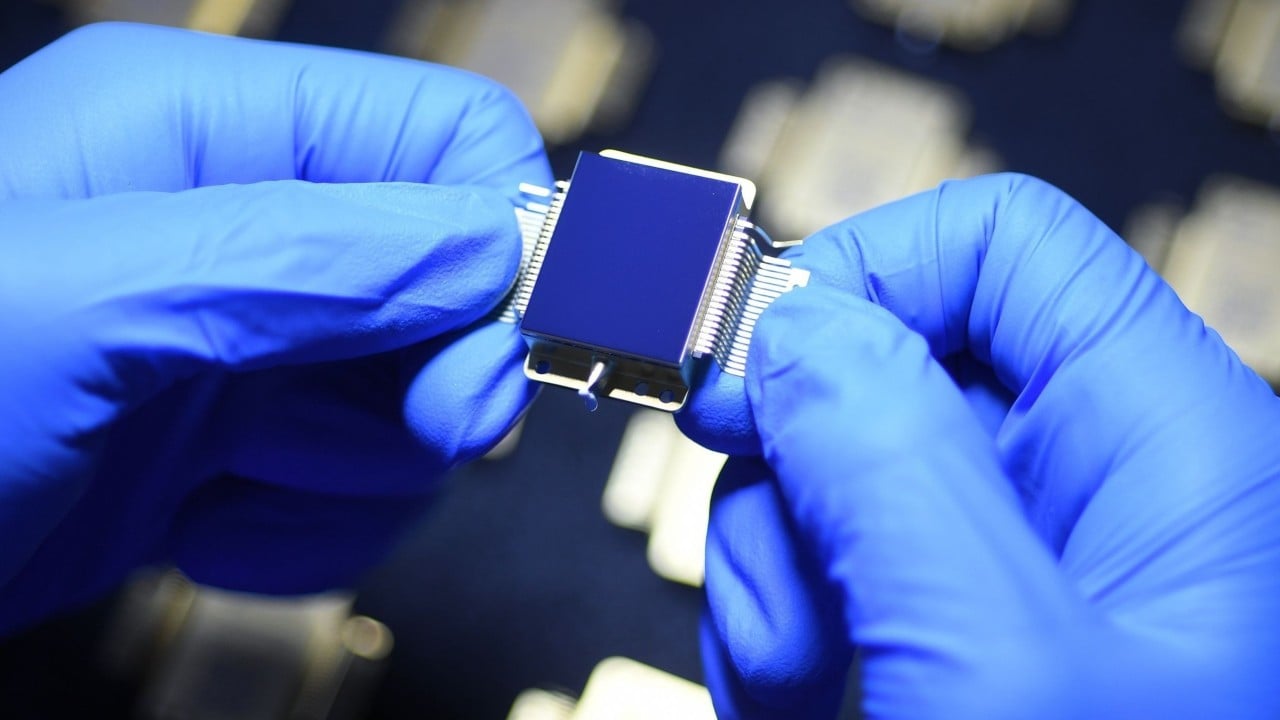
China cuts cost of military-grade infrared chips to as little as a few dozen USD
A research team at a Chinese university has developed a new way to make high-end infrared chips that could slash their cost dramatically and improve the performance of smartphone cameras and self-driving cars. The key breakthrough was finding a way to make the chips using conventional manufacturing techniques, rather than the exotic, costly materials that were relied on before. Mass production is set to begin by the end of the year, according to a press release from Xidian University. The chips...


How to Create a Pipeline with Dotflow in Python
In this tutorial, you'll learn how to build a complete data pipeline using Dotflow — a lightweight Python library that requires zero infrastructure. No Redis. No RabbitMQ. No Postgres. No Docker. Just pip install dotflow . What we'll build A pipeline that: Extracts user data from a source Transforms it by filtering active users and calculating stats Loads the results into storage Along the way, we'll add retry with backoff, parallel execution, checkpoint/resume, and cron scheduling. Step 1 — Install Dotflow pip install dotflow Step 2 — Create your first pipeline Create a file called pipeline.py : from dotflow import DotFlow , action @action def extract (): """ Simulate extracting data from a database or API. """ return { " users " : [ { " name " : " Alice " , " age " : 30 , " active " : Tr
Discussion
Sign in to join the discussion
No comments yet — be the first to share your thoughts!